Match receipts and payments to bank entries
Every donation recorded in Sanstha ERP is matched against your bank credits. Every expense voucher is matched against bank debits. Unmatched entries are flagged instantly — no manual cross-checking needed.
Know whether your books match your bank — every month, not just at audit time. Sanstha ERP's Bank Reconciliation Register flags every unmatched donation and expense so your accounts are always in sync with your bank statement.
Audit-ready reconciliation — required under Section 12A compliance
Related: 80G receipt management · Expense vouchers · Financial reports · Trustee tracking
Most temple trusts discover reconciliation gaps only when the CA arrives. Sanstha ERP makes it a monthly routine, not an annual emergency.
Every donation recorded in Sanstha ERP is matched against your bank credits. Every expense voucher is matched against bank debits. Unmatched entries are flagged instantly — no manual cross-checking needed.
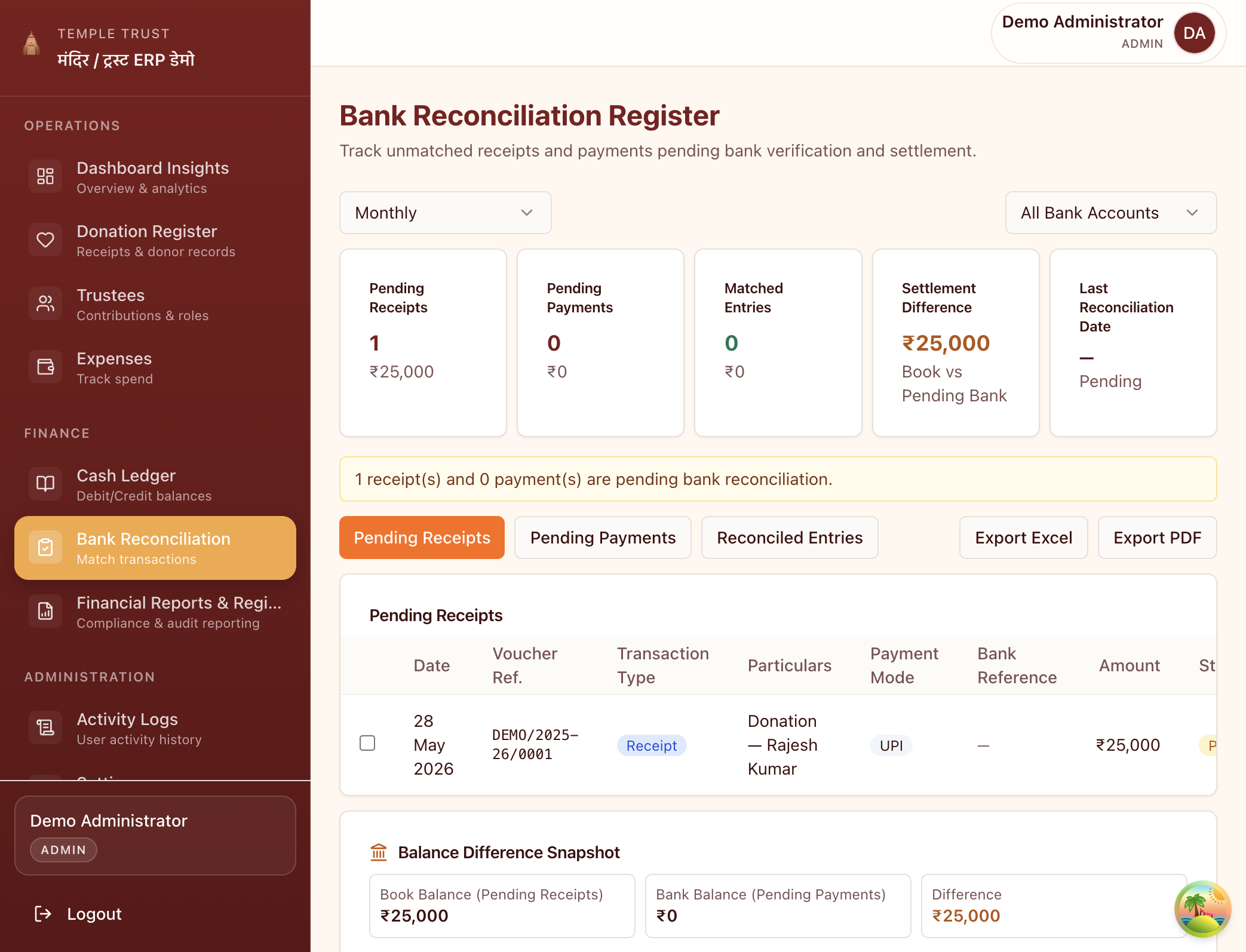
The settlement difference panel shows you exactly how much your books diverge from the bank statement. A zero difference means you are fully reconciled. Any gap is explained line-by-line.
Temples and trusts often hold more than one account — a savings account for day-to-day operations, a fixed deposit for the corpus, a separate festival fund. Reconcile each account independently and view consolidated balances across all.
Download the full reconciliation register — pending receipts, pending payments, reconciled entries and the balance snapshot — as a PDF or Excel file. Hand it to your auditor exactly as they need it.
Every donation entered in the Donation Register and every voucher in the Expense Register is automatically queued for bank matching. No duplicate entry needed.
Open the Bank Reconciliation Register and switch to Pending Receipts or Pending Payments. Sanstha ERP shows you every transaction that has been recorded in your books but not yet confirmed against the bank statement.
Mark entries as reconciled once you have confirmed them in your bank statement. The settlement difference updates in real time. When it reaches zero, your accounts are fully reconciled for that month.
Pending receipts, pending payments and reconciled entries in separate tabs. Balance difference snapshot visible at all times. Export to Excel or PDF with one click.
₹0
Settlement difference when fully reconciled
The target your accounts should reach every month
85%
Of trust income must be applied to charitable purposes
Reconciled accounts prove this to your auditor and the IT department
ITR-7
Annual return required for all Section 12A trusts
Unreconciled accounts are the most common cause of delayed filing
Bank reconciliation is the process of matching your internal donation and expense records against your actual bank statement. It confirms that every payment your donor made, and every expense your trust paid, is correctly reflected in the bank — and flags any entries that appear in one place but not the other.
Auditors require reconciled accounts as proof that your books match the bank. Unreconciled differences — a UPI payment shown as received in your register but not credited by the bank, or a cheque issued but not yet cleared — are the most common source of audit queries. Regular reconciliation means no surprises at year-end.
Monthly is the standard practice recommended by most CAs for temple trusts. At a minimum, reconcile before your quarterly committee meeting and before your annual audit. Daily reconciliation is ideal for institutions with high donation volumes — festivals, large events — when many UPI and cash deposits happen quickly.
The settlement difference is the gap between your book balance (total receipts and payments recorded in Sanstha ERP) and your bank balance (the closing balance on your bank statement). A zero settlement difference means your records are fully reconciled. Any positive or negative difference highlights transactions that are pending matching.
Yes. You can add multiple bank accounts to your institution — savings accounts, fixed deposit accounts, current accounts. The reconciliation register lets you switch between accounts and view pending, matched and reconciled entries per account. The summary view consolidates balances across all accounts.
Reconcile your temple or trust accounts every month — in minutes, not days.